
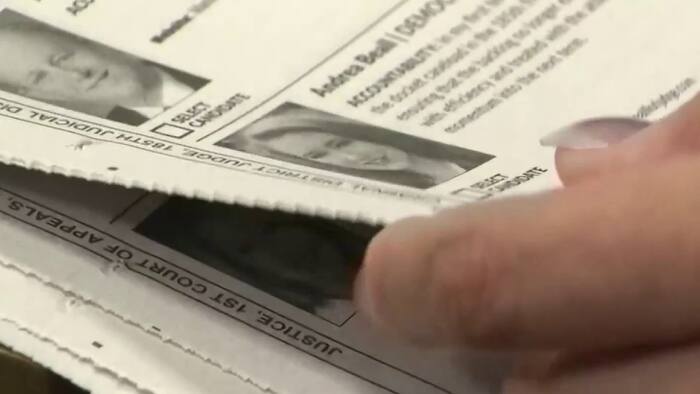
Page after page. Race after race. You recognize the candidates at the top of your ballot, but then come the judges and other names you may have never heard before.
If preparing to vote feels like homework, you’re not alone.
“It was definitely a lot,” voter Paul Cochran said.
Another voter said he researched candidates but still left some races unanswered.

“There were some that I just had no idea who they were,” said Steven Effenson.
Justin Mbuyamba, a Houston voter who said he is a lawyer, knew several judicial candidates through his work. But when he encountered unfamiliar names, party affiliation helped guide his choices.

“I didn’t know everybody that was on. I’m a Democrat, so I voted a Democrat on the ones that I wasn’t sure of,” he said.
The League of Women Voters of Houston wants to help voters walk in with more information—and a plan.
Its voter guide runs more than 90 pages, but that doesn’t mean every race in it will appear on your ballot. Your address determines which contests you’ll vote in.

Jessica Rivera Pace, the League’s communications and civic education manager, recommends narrowing your research first, then working through it in sections.
Here’s how to get started.
1. Find your ballot before you start researching
Your first assignment isn’t reading the entire guide. It’s figuring out which races apply to you.
Visit HarrisVotes.com and follow the sample-ballot lookup. Enter the requested information, confirm that the voter record is yours and open your personalized sample ballot.
Save or print it. This becomes your checklist.
Pay attention to the full office name, district and place number. Similar-sounding races can involve different candidates.
“First thing? Get your sample ballot,” Rivera Pace said.
2. Use VOTE411 to compare the candidates on your ballot
Go to VOTE411.org, the League of Women Voters’ election-information resource.
Enter your residential address and follow the prompts to view the races associated with it. Work through each contest, reading the candidates’ backgrounds and their answers to the League’s questions.
You can record your selections and print a summary to bring with you, Rivera Pace said.
That printout is a reference sheet—not a ballot you can submit. You’ll still need to enter your choices using the voting equipment at your polling location.
Prefer the Houston guide? Find it at HoustonVotersGuide.org.
If you’re using a downloadable PDF, press Control-F on a PC or Command-F on a Mac and search for a candidate’s name or the office. That can save you from scrolling through dozens of pages.
3. Break the research into smaller pieces
You don’t have to finish every race in one sitting.
“And then from there I would break it down, you know, in sections,” Rivera Pace said.
Try setting aside 10 to 15 minutes to get started. Research a few judicial races, then return for county offices or ballot questions. Give yourself more time for candidates or issues you’re unfamiliar with.
“There might be some that you might not be familiar with that you need to read a little bit deeper about,” Rivera Pace said.
If you’d rather finish in one evening, work through the ballot in sections and take notes as you go.
The point is to make progress, not to assume every decision can be researched in a few seconds.
4. Learn what the office does before choosing who should hold it
An unfamiliar job title makes it harder to evaluate the people running for it.
The League’s guide includes descriptions of offices and their responsibilities. Read those first.
For judicial races, identify the court and the types of cases it handles. Depending on the court, judges may handle criminal cases, civil disputes, or family and juvenile matters.
Other county offices help make decisions about public spending and services.
“You have people that are deciding county budgets, deciding where your tax dollars are going to be spent,” Rivera Pace said.
Those responsibilities are why she said races further down the ballot deserve attention, even when they receive less publicity.
“Because as you get further down the ballot, you get essentially closer to home,” Rivera Pace said. “You were talking about county elected officials that decide things here in Houston, in Harris County that affect our day to day life.”
5. Look beyond the party label
Party affiliation may be part of your decision, but it doesn’t replace learning about an individual candidate’s qualifications and priorities.
Compare candidates using the same questions:
- What experience do they have that relates to this office?
- What specific priorities do they identify?
- Do they explain how they would address those priorities?
- Are their proposals connected to the powers of the office?
- What additional information would help you evaluate their answers?
“So you really want to look at the platform for each candidate,” Rivera Pace said. “What are they saying? What are their priorities? What do they plan to do if elected?”
The League’s guide provides candidates’ own responses. It is not an endorsement of those candidates, and the League says it does not fact-check or verify their statements.
Use the answers as a starting point. When a claim matters to your decision, look for supporting records or reliable reporting.
6. If a candidate didn’t respond, check online
A blank response in the printed guide doesn’t necessarily mean there’s no information available.
Rivera Pace said the League continues updating its digital resources when candidates submit answers after the printing deadline.
Check HoustonVotersGuide.org and VOTE411.org for newer responses.
If you still need information, look for candidate forums, campaign websites and reliable local reporting. Campaign materials explain what candidates say about themselves; independent sources can help you evaluate those claims.
Social media can introduce you to a candidate, but check the original source and context before relying on a post.
7. Make a paper reference sheet—and bring it
Once you’ve made a choice, write it down.
You can:
- Mark your printed sample ballot.
- Mark your choices in the League’s voter guide.
- Fill out the League’s ballot worksheet.
- Print your selections from VOTE411.
- Make a handwritten list with the full office names and your choices.
Harris County allows printed sample ballots and handwritten notes. You cannot use your phone in the voting booth to research candidates, so prepare your paper reference before arriving.
Keep your list organized by office so you don’t confuse candidates running for similarly named positions.
8. Review your selections before casting your ballot
Use your notes as you make your choices, then review the voting machine’s summary.
Check the printed ballot, too. If something doesn’t reflect your intended selections, ask an election worker for help before inserting it into the scanner.
And if you decide to leave a race unanswered, the League’s Houston voter-information website explains that the rest of your ballot still counts. You do not have to make a selection in every contest.
Being uncertain about one race doesn’t mean you need to stay home.
Researching your choices takes time, but voters who spoke with KPRC 2 said casting their ballots didn’t take long.
Mbuyamba said he finished in about 10 minutes, with no line when he arrived.
“So if you do your research ahead of time, then you’ll be in good shape,” he said.

Kayla Phillips said she recognized the major candidates and researched the others before going.
“I knew the main ones, but I researched the rest of them,” she said.
She said voting took about five minutes. Cochran, who voted with her, credited her preparation.
“Oh, yeah. It’s a good strategy,” Cochran said. “She did a good job getting ready for this.”
For Effenson, who said voting took about 10 minutes, participating was worth the effort.
“Well, they did a great job inside. And, you know, the volunteers do a great job. And listen, this is our country,” he said.
Phillips encouraged people not to let uncertainty keep them home.
“I think showing up and voting, even if you’re unsure, is more important than staying home,” she said.
HarrisVotes.com: Personalized sample ballots, voting locations, schedules and election information.
VOTE411.org: Candidate information, comparisons and a printable summary of your selections.
HoustonVotersGuide.org: The Houston League’s voter guide and ballot-readiness worksheet.
League of Women Voters of Houston: 713-784-2923 or lwv@lwvhouston.org.
Harris County elections questions: 713-755-6965.
Early voting ends Friday, Oct. 30. Election Day is Tuesday, Nov. 3. Harris County lists voting hours of 7 a.m. to 7 p.m. for both remaining early-voting days and Election Day.


